In this article
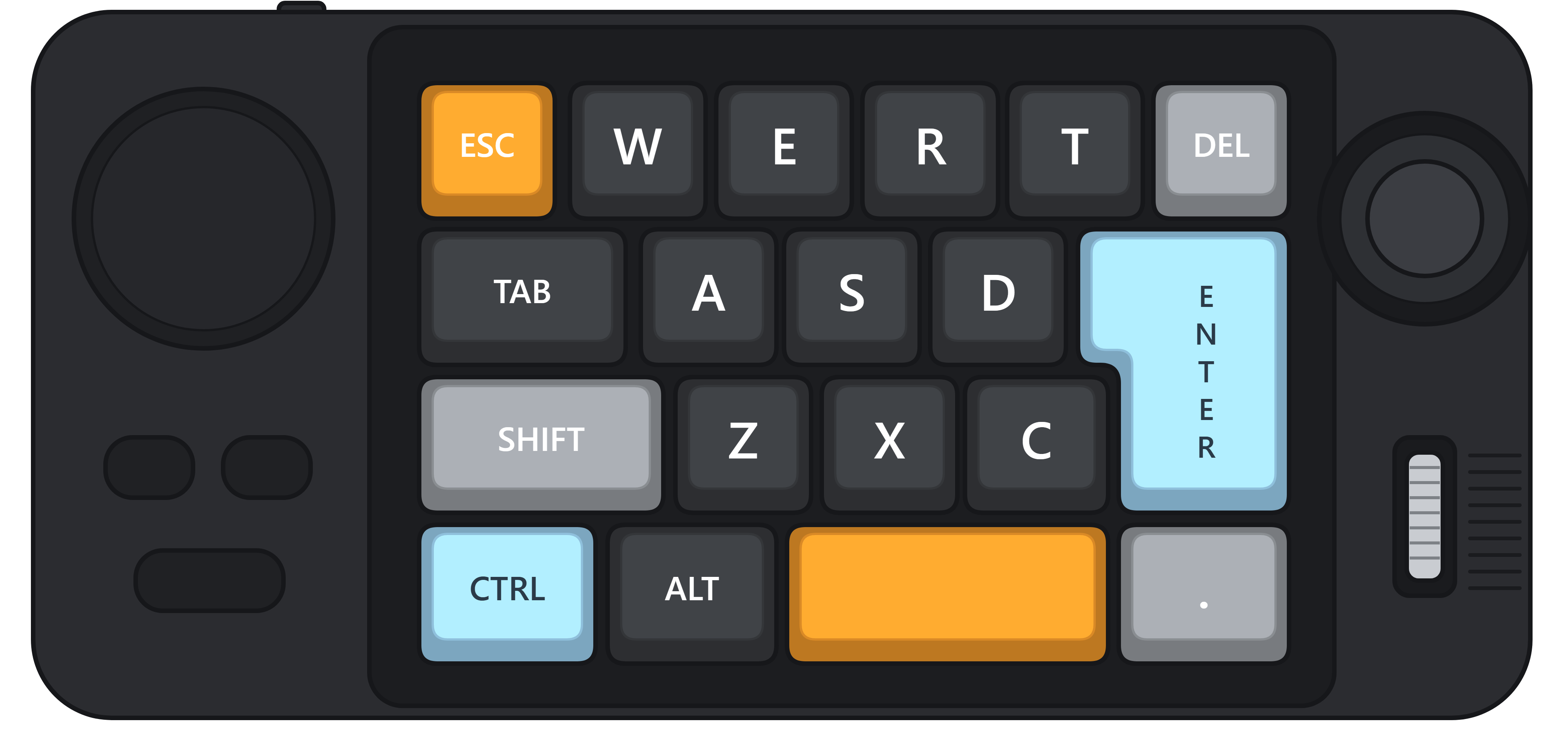
I own a small macro pad, the SXS K811. It has 19 keys (Esc, W, E, R, T, Del, Tab, A, S, D, Enter, Shift, Z, X, C, Ctrl, Alt, Space and a dot key), a volume knob, three media buttons, a little joystick and a scroll roller. It's solid, it looks good, and it's the right size for the side of my desk.
Shopee · affiliate linkSXS K811 Macro PadIf you buy through this link I may earn a small commission, at no extra cost to you.The software that comes with it is another story. It works... sometimes. Settings didn't always stick, and more than once I closed it without knowing whether my change had actually reached the device. But I like the hardware too much to give up on it. So I tried something different: I asked Claude to help me understand how the app talks to the pad, and then to write a replacement.
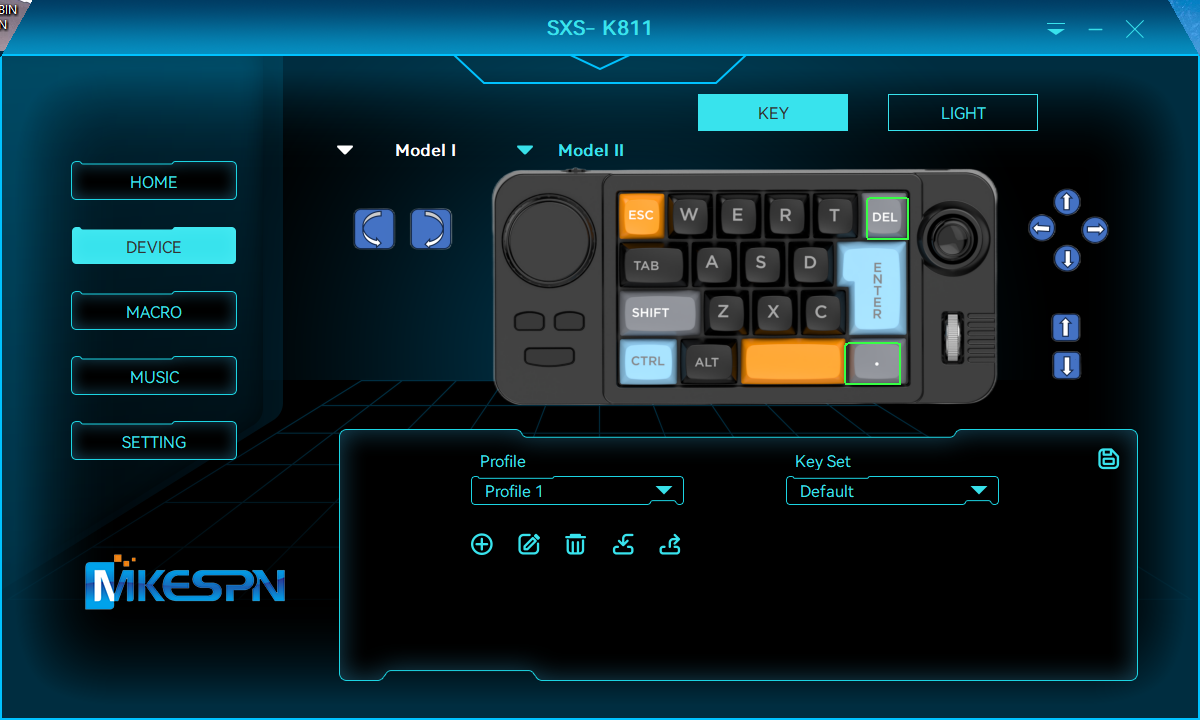 The vendor app. Looks cool. Doesn't always save.
Here's how that went.
The plan: find out what the app is saying
A macro pad like this is a USB device. When the vendor app changes a colour or a key, it sends small messages over USB, and the pad stores the result in its own memory. If we could learn that message format, we wouldn't need the vendor app at all.
I worked with Claude Code, Anthropic's coding agent, in my terminal. My job was to point it at the installed app, test everything on the real device, and decide what to build. Claude did the reverse engineering and wrote the code.
Claude found the pad among my USB devices (vendor ID 0x5566), including the separate configuration channel the app uses. Then it read the vendor program's machine code to find the functions that build and send messages. All of this was static analysis: reading the program, not changing it.
Every message turned out to have the same shape: 65 bytes, a fixed header, a command number, a checksum, an offset, and up to 56 bytes of data.
00 55 <command> 00 <checksum> <length> <offset lo> <offset hi> 00 <up to 56 bytes of data>
The pad answers each message with AA in place of 55, so you can tell whether a command arrived. From there it was a matter of naming the commands: read lighting, write lighting, write the key map, write macros, factory reset.
First test: colour
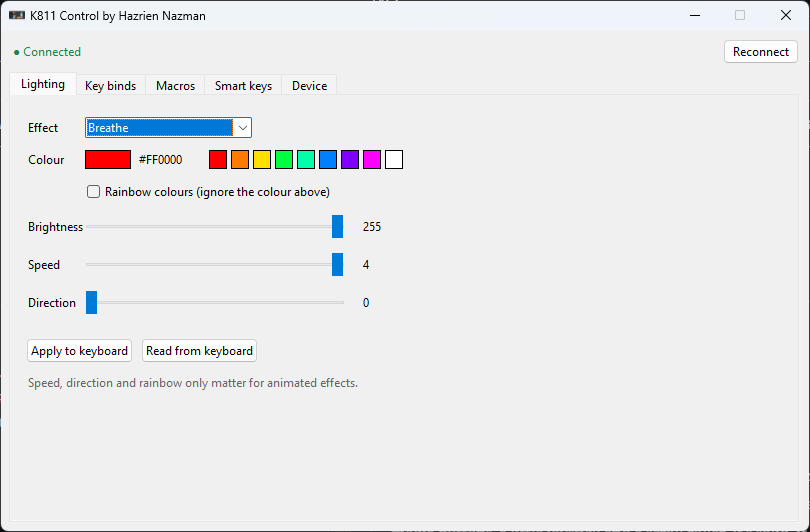
Lighting was the safest place to start, since a wrong colour is easy to undo. Claude wrote a small Python client with no extra libraries. It talks to Windows' USB APIs directly. It read the current lighting settings back from the pad first, which confirmed the format before writing anything.
Then we set the pad to a static teal colour. It changed instantly. That was the moment I knew this would work.
One small quirk came up straight away: changing the lighting effect resets the rainbow setting on the device. The fix was to send the effect first, and then the rest of the settings in a second message.
The bug that taught me something
Key remapping is where things got interesting. Our first remap seemed to work. But when I tried to make Del act as Volume up, Del kept behaving like Del. Other keys did the same. The colours still worked fine. Hmm.
It turned out every key's binding lives at a numbered position (a "slot") in the pad's memory. Claude had taken the slot numbers from a table inside the vendor app. That table is real, but it's the one used for full-size keyboards. For a pad like mine, the app checks a different source first: the pad's own layout file, which has its own numbers. Del, for example, is slot 51 on my pad, not 86. The data was going to the right device, just into the wrong places.
Once the client used the pad's own slot numbers, Del → Volume up worked straight away.
I like this bug, because the first explanation that fits isn't always the right one. And it only got caught because I tested on the real device and said "this isn't working." Claude can read machine code all day, but it can't press Del on my desk.
Building a proper app
With the protocol figured out, Claude built a small desktop app (Python with Tkinter, opened from a desktop shortcut). It isn't a copy of the vendor app, just the parts I actually use:
- Lighting: effect, colour, brightness, speed and direction.
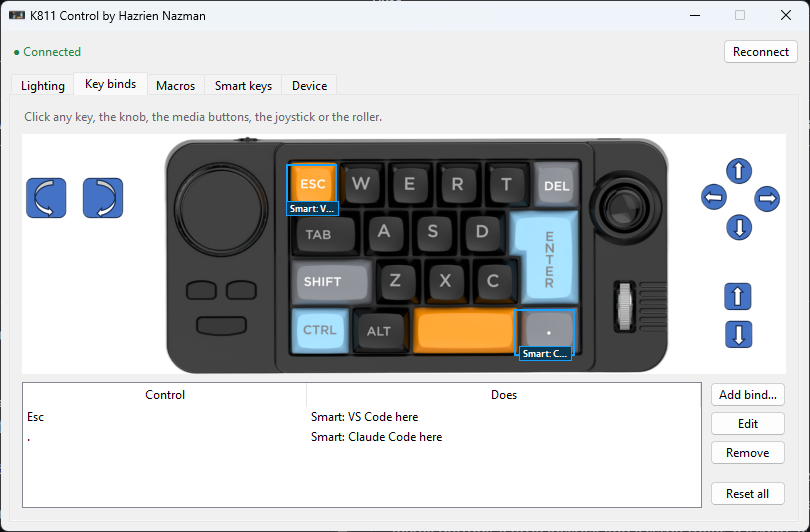
- Key binds: a picture of my pad. Click any control and choose what it does: another key or shortcut, media keys, mouse buttons, or a macro.
- Macros: record or edit sequences of key presses with delays, then save them to the pad.
- Device: game mode options and a factory reset.
Every write is checked. The app waits for the pad to confirm each message, and tells you if something didn't go through. That was the thing I wanted most from the original software. No more closing the app and hoping.
The part I'd wanted for years: keys that know where I am
Here's what I'd always wanted from a macro pad: the same key doing different things depending on which app I'm in.
My example: when I'm in a folder in File Explorer and press the dot key, I want a terminal to open in that folder with Claude Code running. And when I press Esc in a folder, I want that folder opened in VS Code. In any other app, Esc should still just be Esc. (I'm not a monster.)
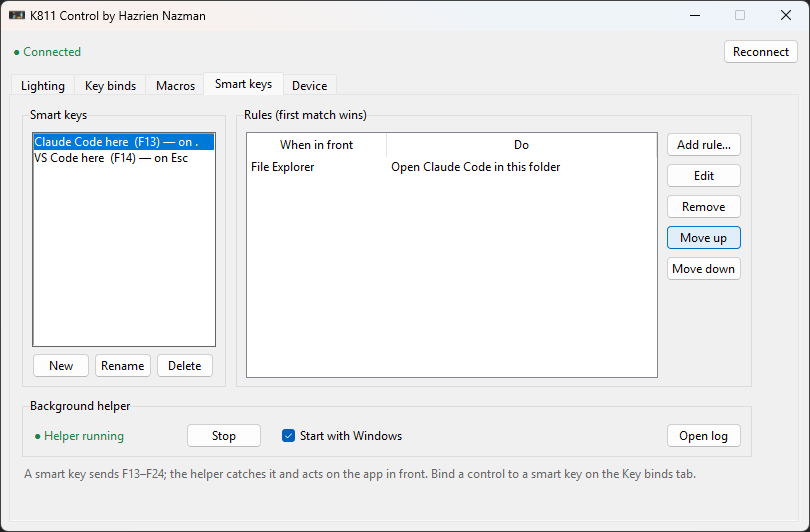
The pad can't do this alone, because it doesn't know which window is in front. So the solution has two parts:
- The pad sends a key nobody uses. Windows supports F13 to F24, but almost no keyboard has them. The dot key now sends F13, and Esc sends F14.
- A small background helper listens for those keys. When one arrives, it checks which app is in front and runs the first rule that matches.
The rules are a simple file the app edits for you:
{
  "name": "VS Code here",
  "fkey": 14,
  "rules": [
    { "app": "explorer.exe", "action": "vscode" },
    { "app": "*",            "action": "send", "arg": "esc" }
  ]
}
The helper finds out which program owns the window in front with a couple of Windows API calls:
hwnd = user32.GetForegroundWindow()
user32.GetWindowThreadProcessId(hwnd, ctypes.byref(pid))
# ...then reads the program's name, e.g. "explorer.exe"
For File Explorer it also asks Windows which folder that window is showing, so the terminal or VS Code opens in the right place.
The first time I pressed the dot key in a folder and Claude Code opened right there, I just said "WOW". Out loud. I'd wanted this for a long time.
What's not done yet
It's not finished, so here's where it stands:
- Built, but not fully tested: running macros from a key, mouse clicks inside macros, and some lighting options such as direction.
- One limit: the bottom media button can't be remapped. The pad doesn't accept a binding for it, and the vendor app has the same limit, so it's not just me.
- Not built yet: per-game profiles that switch the pad's binds automatically when a game is in front. The design is ready. I just haven't needed it yet.
So, was it worth it?
For me, yes. Annoying vendor software doesn't have to be the end of the story. If you own the device, it's worth learning how it actually works. Claude moved fast on the analysis and the code, but my feedback from the actual pad caught the bug that mattered.
My app does less than the vendor's. But everything it does works, and it does the one thing I always wanted. Like cooking at home: fewer dishes than a restaurant menu, but every one is exactly how I like it.
I might open-source the tool later. If you have the same pad and want it sooner, let me know.